 The Simple Storage Optimiser Solution
The simple solution for Microsoft 365: Reduce costs, ensure compliance, and keep your tenant clean –
continuously and AI-powered. Set it and forget it.


Trusted by Businesses Worldwide
Why Choose Us
Set it once and let it run continuously – your storage stays optimised automatically
Avoid expensive storage add-ons. Save up to 80% on Microsoft 365 storage costs by automatically cleaning up waste and moving cold data to cheaper storage tiers.
Your tenant stays clean – automatically. Set your policies once and StorageOptimizer runs continuously in the background, keeping your storage optimised without manual intervention.
Identify Redundant, Obsolete, and Trivial content with AI-powered analysis. StorageOptimizer automatically finds duplicate files, old backups, and unused content eating up your storage.
Complete audit logs, undo capabilities, and simulation mode ensure you stay compliant. Preview all changes before execution and maintain full control with detailed tracking of every action.
Simple Setup
Get up and running in minutes, then let it work continuously in the background
Authenticate with your Microsoft 365 account. Our secure OAuth integration requires no passwords or keys.
Set your policies once. Define what to clean, when to clean it, and how aggressively. Use our smart defaults or customize.
Turn it on and let it run. StorageOptimizer continuously scans your tenant and applies your policies automatically.
Watch your storage costs drop month after month. Check analytics anytime or get notifications in Teams.
Unlike other tools that require constant manual intervention, StorageOptimizer runs continuously in the background once configured. Your storage stays optimised automatically, freeing you to focus on what matters.
Automatically discovers new optimisation opportunities as they arise
Meaningful default policies get you started instantly, no configuration required
Applies policies automatically without manual approval (when configured)
Simulation mode lets you preview all changes before they happen
Configure
Runs 24/7
Save Money
Configure once, save continuously
Most customers are fully configured and saving money within their first hour. No training required.
Powerful Features
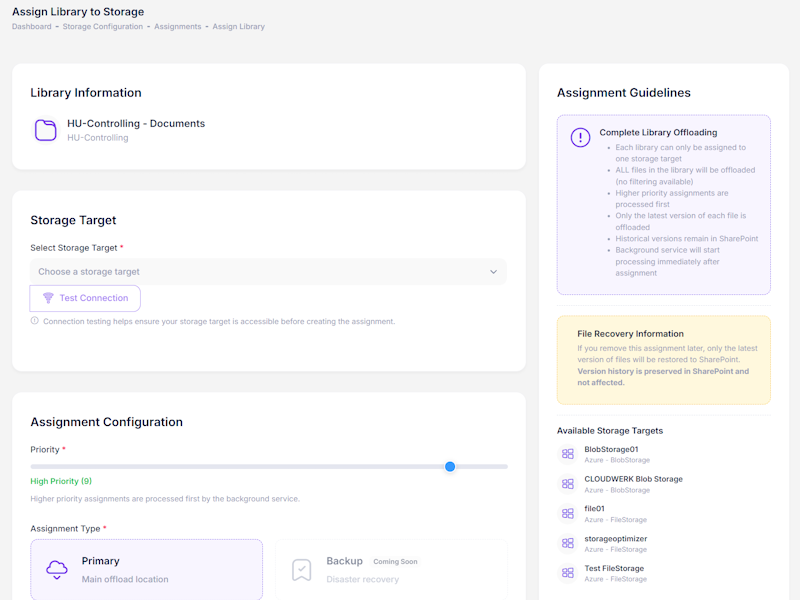
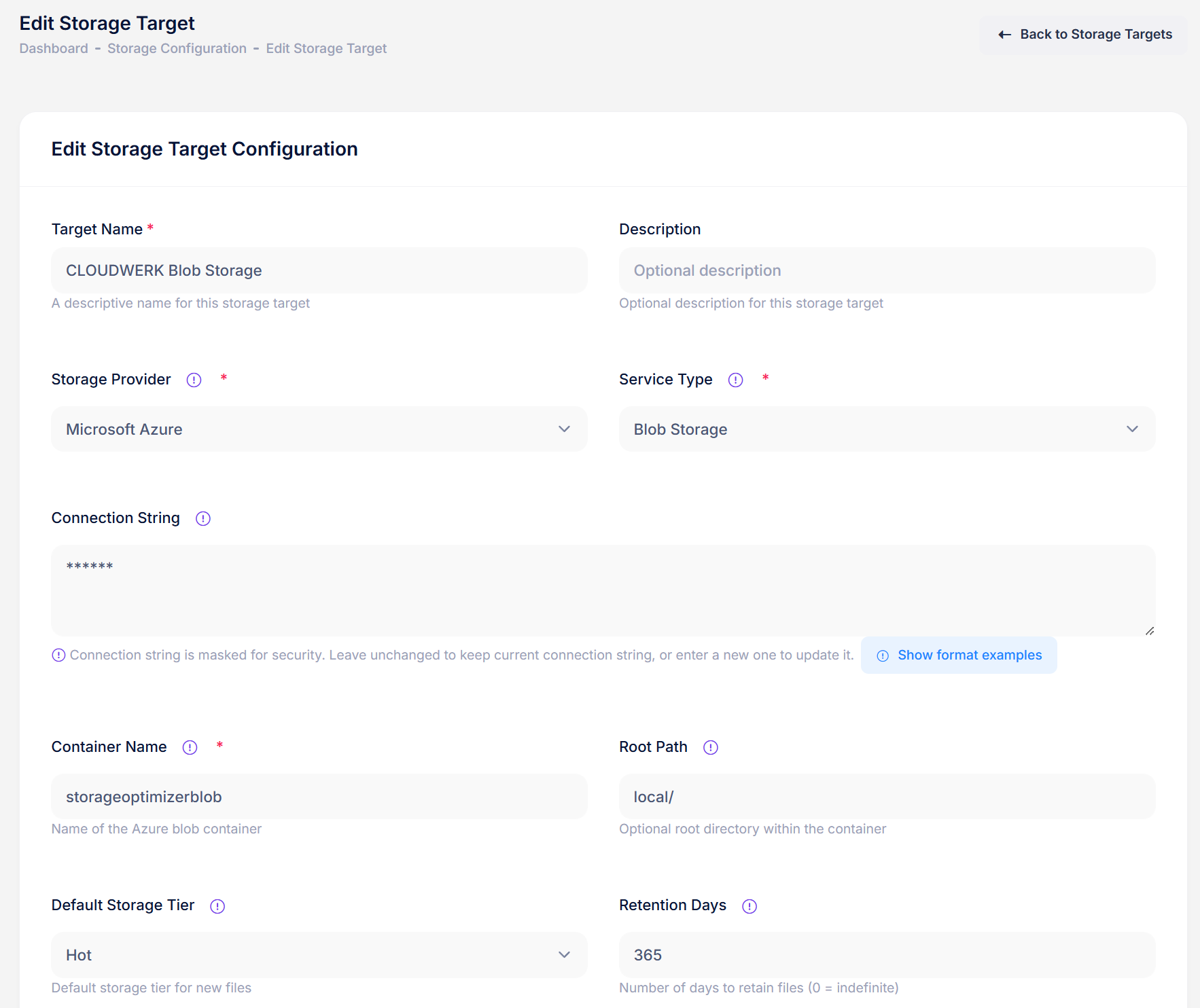
Move large files to cheaper storage automatically. ZIP archives, videos, backups, and other binary files don't need expensive SharePoint storage. Offload them to Azure Blob or AWS S3 at a fraction of the cost – with full encryption, lifecycle policies, and seamless access through stub files.
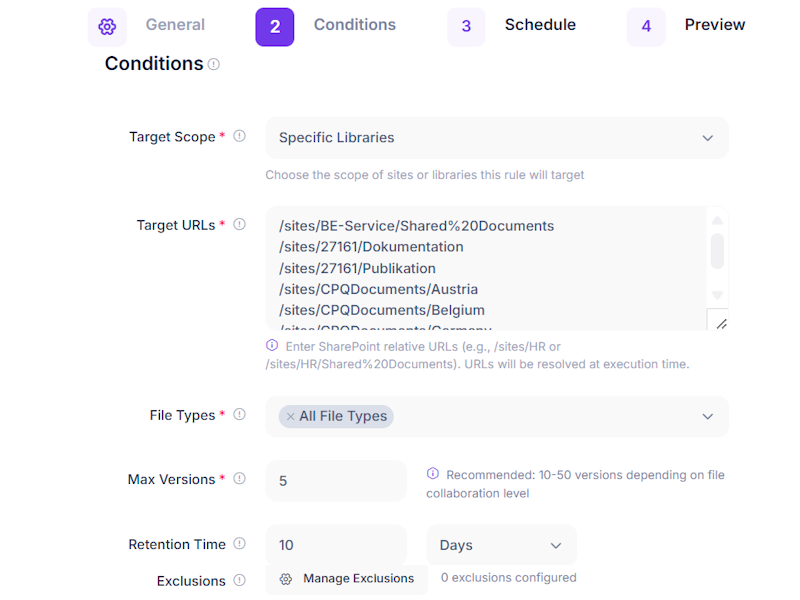
Take control of runaway version history. SharePoint stores every file version by default, silently consuming your storage. Set intelligent policies to keep only the versions you need – last 10 versions, versions from the past 90 days, or custom rules per library. Reclaim space instantly.
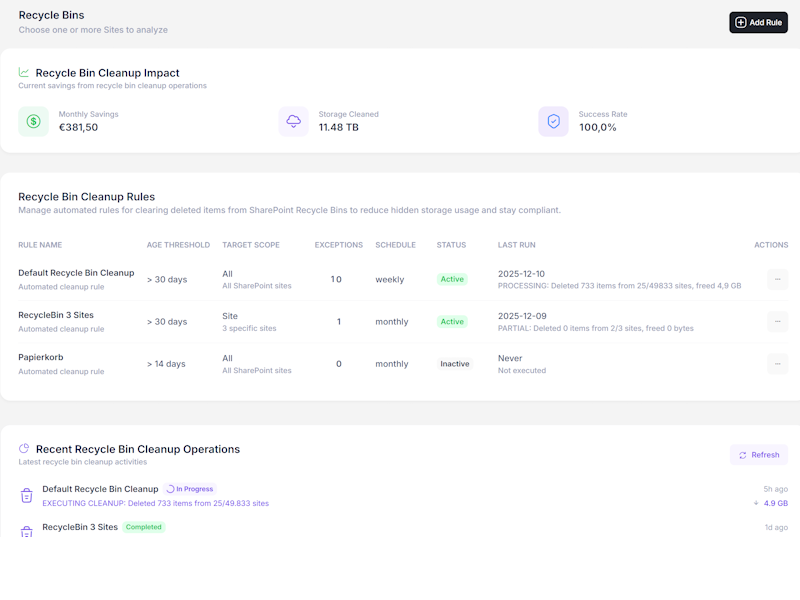
Stop paying for deleted files. SharePoint keeps deleted items for up to 93 days across two recycle bin stages – all counting against your quota. Automate cleanup with flexible policies: clear items older than 30 days, target specific file types, or clean up per-site. Safe, scheduled, and automatic.
Understand where your storage is going. Detailed reports by site, library, user, and file type. Drill down from tenant-level overviews into individual sites to see exactly what's consuming space. Export reports for management or compliance purposes.
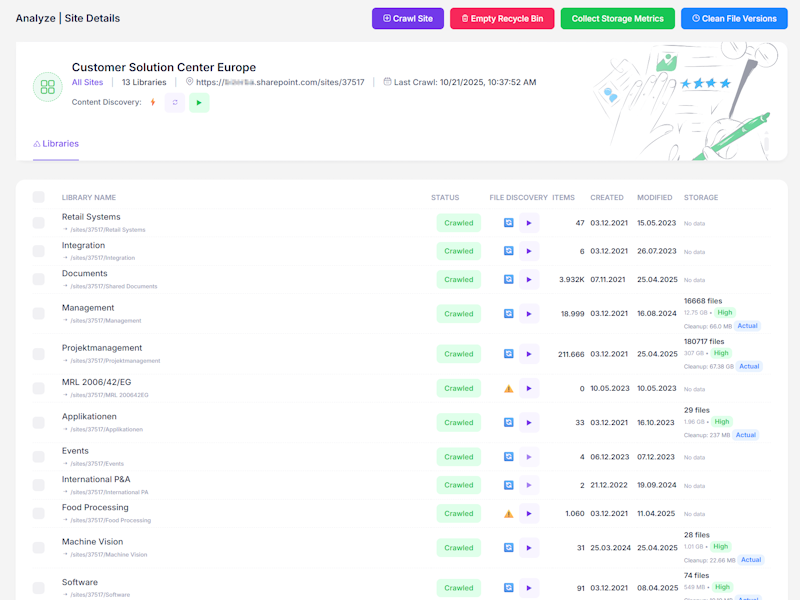
Find and eliminate duplicate files across your tenant. Our intelligent detection identifies exact matches and near-duplicates across sites, even with different filenames. Review duplicates in a simple interface, choose which to keep, and reclaim wasted space. Perfect for cleaning up after migrations or team reorganisations.
Ask questions about your storage directly in Microsoft Teams. "How much storage are we using?" "What sites use the most space?" Get instant answers with conversational queries. No need to log into a separate portal – manage your storage where you already work.
Example queries: "Show me top storage consumers" | "Clean up recycle bins older than 30 days" | "Generate storage report"
Know what's coming before it becomes a problem. Our AI analyses your storage growth patterns and predicts when you'll hit capacity limits. Get proactive alerts so you can take action before running out of space or incurring surprise charges.
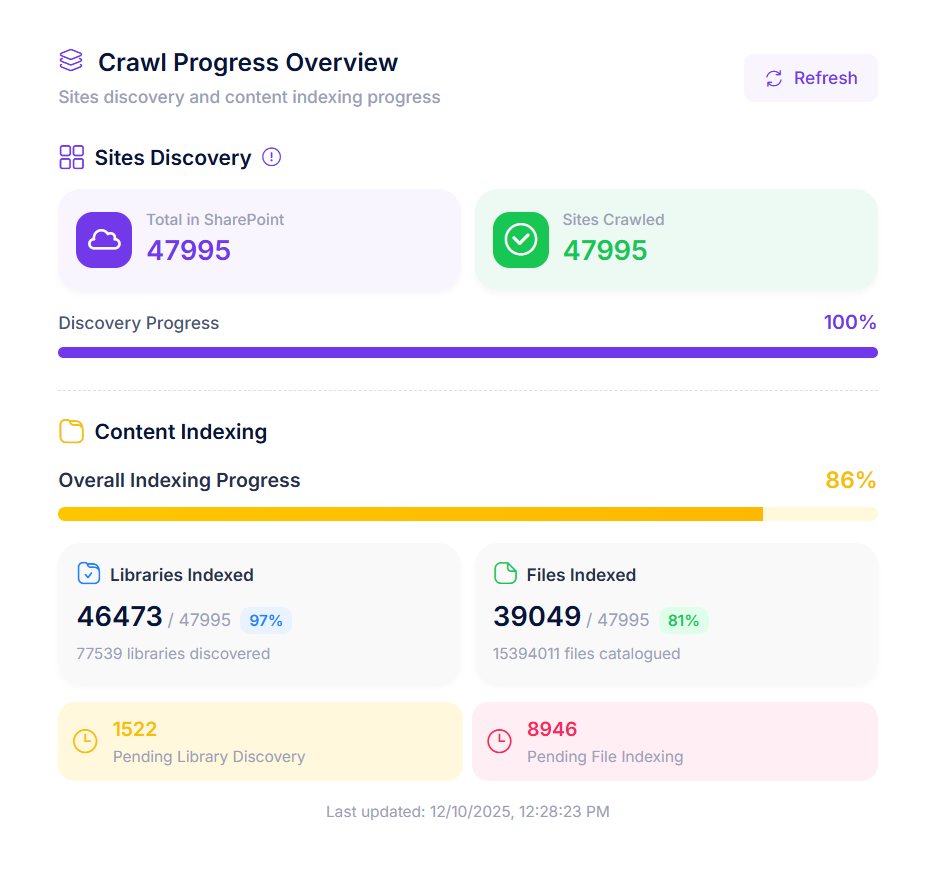
Designed to respect retention policies and legal holds. Every operation includes simulation mode for preview, complete audit logs, and undo capabilities. Zero data loss – all operations are reversible. Your data stays secure with enterprise-grade security and GDPR compliance built in.
 ROI Calculator
Adjust the sliders to match your environment and see real-time cost projections
Free quota: 1 TB + 10 GB/user = 2 TB included
Choose Your Plan:
Storage Breakdown After Optimisation:
CURRENT COST
€1,800
/month
AFTER OPTIMISATION
€412
/month
YOUR ANNUAL SAVINGS
€16,656
Ready to start saving €16,656/year?
Start your free 14-day trial and get full access to all features. No credit card required.
Transparent Pricing
Choose the plan that fits your needs. No hidden fees, no surprises.
Perfect for small teams
e.g. 5 TB = €70/month
Most popular choice
e.g. 10 TB = €200/month
For growing businesses
e.g. 20 TB = €560/month
Extend optimisation to personal OneDrive storage
+€0.50 /user/month
Keep audit logs for longer
+€4 /month
Use your own encryption keys
+€9 /month
No credit card required. Full access to all features. Cancel anytime.
Get Started Free
Why CloudWerk?
See how CloudWerk StorageOptimizer compares to other solutions
| Feature |
CloudWerk StorageOptimizer |
Native M365 Tools |
|---|---|---|
| Binary File Offloading | ||
| Version History Management | Manual | |
| Recycle Bin Cleanup | Manual | |
| Detailed Analytics | Basic | |
| Duplicate Detection | Preview | |
| Teams Integration | Preview | |
| Predictive Storage Trends | ||
| Full Audit Logs | Limited | |
| Simulation Mode | ||
| Undo & Rollback | ||
| AI ROT Detection |
Manage storage directly from Teams with conversational queries. No separate portal needed.
Full audit trails, simulation mode, and undo capabilities ensure you stay compliant.
ROT detection and predictive trends help you stay ahead of storage issues.
Set it and forget it. Runs continuously in the background with no manual intervention.
Clear, simple pricing with no hidden fees. Know exactly what you'll pay.
Up and running in under 10 minutes. No complex configuration or IT expertise needed.
Savings Scenarios
Real-world scenarios based on typical SharePoint environments
A small video editing team with 2 TB of raw footage and exports paying extra SharePoint storage fees could offload 1.5 TB of large video files to Azure Blob Storage at a fraction of the cost. Projected annual savings: €1,750+
A 20 TB education tenant could reclaim up to 40% of storage (8 TB) just from version history cleanup alone. Old course materials and outdated documents often accumulate excessive versions.
A 50 TB manufacturing environment with large CAD files and documentation could archive 30+ TB of cold data to Azure Blob at €0.002/GB vs €0.20/GB - a 99% cost reduction on archived content.
Get Started
No credit card required. Full access to all features. Cancel anytime.
Trusted by businesses worldwide
FAQ
Have questions about CloudWerk StorageOptimizer? Find answers to the most common questions below.
CloudWerk StorageOptimizer is a SaaS solution that helps organizations reduce SharePoint Online storage costs by cleaning up unnecessary files, managing versions, and offloading non-collaborative content to cheaper cloud storage like Azure Blob Storage.
Absolutely safe. All operations are logged and reversible. Files are never deleted permanently - they're either moved to recycle bins (with extended retention) or offloaded to secure cloud storage where they remain accessible. The system is designed to respect your retention policies.
Savings typically range from 15-80% depending on your environment. Immediate savings of 15-30% come from cleanup and version management. Additional savings up to 80% are possible when archiving cold data to Azure Blob Storage. A typical 10 TB SharePoint environment could see significant reductions. Use our calculator to estimate your potential savings.
For most operations, no. Cleaned up recycle bins and trimmed versions are transparent. For offloaded files, users see the files in SharePoint as normal, but there may be a slight delay (2-5 seconds) when accessing an archived file for the first time as it's retrieved from cloud storage.
We focus on binary files that don't benefit from SharePoint's collaboration features: ZIP archives, video files, software installers, backup files, and large PDFs. These files remain accessible in SharePoint but are stored in cheaper Azure/AWS storage, reducing costs by up to 90%.
Only if you want to offload content to cheaper storage. The cleanup and version management features work without any additional infrastructure. We can help you set up Azure Blob Storage if needed - it's straightforward and adds significant savings potential.

